

#Powershell Magic Back once again with the Powershell 🥓 flavour


#Family
Was very lucky to have my mum and dad come to visit over the last few days. I took time off work to spend with them, and was really a pleasure to see my parents. I like to keep in contact via phone, but normally it gets to 10pm or 11pm really quick, and I tend to then be thinking well I do not want to wake them up just to be saying 'hi how are you' when they could be fast asleep.
I know my wife regularly speaks to my mum on the way home from dropping off the kids at school, but like the saying goes
You don't know what you got until it's gone
I wanted to make and spend as much time with them as possible, as it did take them five and a half hours to travel here. Before moving here to lovely North-Devon I was only living a few miles away but now that has increased to 180 miles away.
Just saying if you got family you might not have spoken to in a while, make that call (at a reasonable time) and see how they are doing
It's good to talk
#Podcast
So I was lucky enough to be invited onto Ryan Yates new podcast series he is creating. More information on Ryan can be found here:
I have known or known about Ryan for a good number of years, but never had the opportunity to link up with him. A short while ago I did have a good hour chat with Ryan over teams, and we seemed to click and was mentioning how I wanted to get blogging again, and he was full of support and useful ideas.
Then he posted about doing a new podcast series, and well that landed me with an invitation to speak about the new online safety act that has been implemented in the UK to verify you age on certain websites, rather than clicking the button to just say you are 18 or older. Personally this change has not affected the way I use the internet but I know recently after being implemented there was a petition of over 400,000 people requesting it to be revoked.
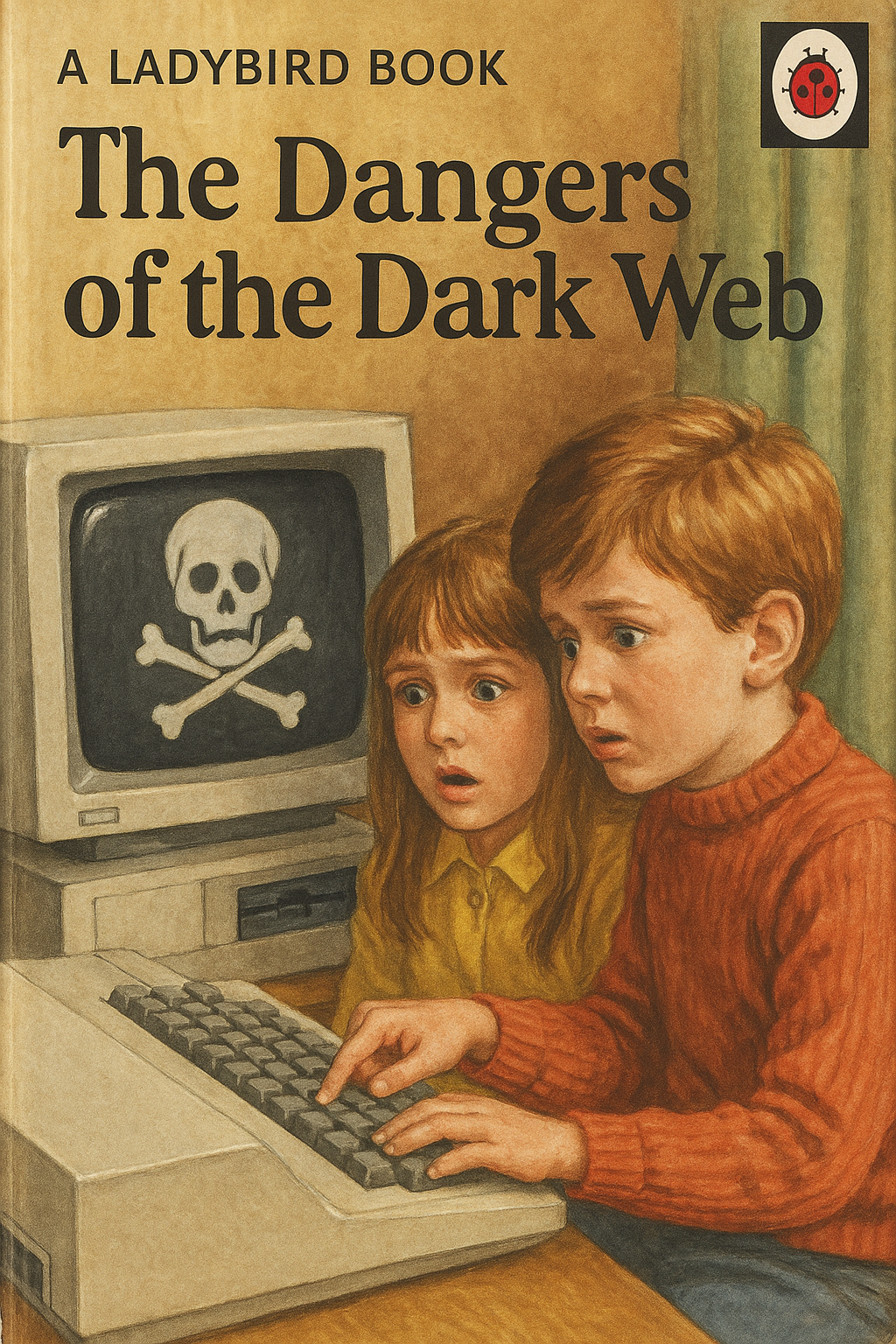
It also came to light that VPN software was now the most popular downloaded software on smart phones. Now have a short think to why that might be. Yes because it will allow you to bypass the new online safety measures for the UK as your browser will think you are in another location. This got me thinking about making this into an image. So with the help of AI and me describing the type of image I wanted, I cooked up this idea for a new kids book:

I mean I totally understand why the Government wanted to implement this, but as I was explaning to Ryan I am either really lucky, or I done a decent job bringing up my 5 daughters as they are all still innocent, and would not want to surf the web to look at the type of things that have these new online safety measures put in-place. Kind of feels like the UK is being controlled by a nanny state, where like at school you were always being told
The minority spoilt it for the majority
I also believe the UK has far bigger problems right now, than kids looking at things they should not be, which then made me think about another possible book to write:
To me it should be the parents responsibility to educate your child on these matters, not the government. Also if you know that VPN software is currently the most popular app on smart phones right now in the UK, then you know there is shed loads of people, children or adults are bypassing this new law. You also know things can spread extremely quickly around schools so I am pretty sure this is another epic Government failure of wasting tax payers money to fund a duff project. Like what if the websites get hacked that contain all the people who have verified themselves along with card details. Or what if there was rogue VPN software being released that was now storing all your internet activity and passwords.
Please listen to the podcast when it is released and I will be updating this page with the link.
#This blogs problem
Right time to get talking about another problem I was faced with and using the mighty Powershell to solve that problem and automate the solution. Again this is not send a person to the moon type of complex Powershell solution, but it did exactly what I needed it to do, and was accepted by the external audit company as an official answer.
So I mentioned it in that last line, but this was to do with an external audit I was requested to participate in, and to prove without a doubt that the company I work for was following all processes and procedures laid out, in order for them to pass the audit. To my suprise the auditors were requesting screen shots of all the data that they wanted, as well as the method used to obtain this data.
Repition right there, having to take multiple screen-grabs of the code used, and the data being produced from that code. Or even worse doing the task manually and having to supply thousands and thousands of screen-grabs. Then labelling them all, then saving then rinsing and repeating the same task. Not only is this mundane work to do, to me it is not making the best use of your time having to faff about with snippet or another tool, then taking the time to name and save each picture. Also when doing a very mundane or repetative task, I believe you are more likely to make mistakes, as we are only human at the end of the day. So although I could have exported all this data to a spreadsheet, that sadly seemed a non-viable answer to meet the criteria of screenshooting all the evidence. Plus with the amount of data being returned I would not have been able to show that in a single screenshot.
Nothing is impossible to do in Powershell. I have strongly believed that since reading my first few Powershell version one books I bought when trying to self-learn this language 15+ years ago. I really did have my mind blown on what you could do with this new terminal shell Microsoft had released and it still blows my mind today with things being done with Powershell. So as mentioned the first thing I always think about is solving that given problem with Powershell as it can do anything in my personal opinion.
Looking at previous audit data supplied, there was screenshots of the script, then the output of the terminal containing the data returned from the script. So right then had a light-bulb moment where I figured all I needed was a Powershell method of taking a screen-shot of the current active screen with the script running.
#Solution
I needed to obtain all active users within Active Directory and display the output with certain selected criteria for each user. If I was a non-coder point and click person this would have certainly taken longer than a day to produce. So I knew I could easily code what was being requested, but then I needed to figure out a way to be able to take a screen-grab and automatically save that information to a pre-defined path. I did look on the Powershell gallery to prevent re-inventing the wheel, and also a small amount of time was spent on the internet. As I could not specifically find exactly what I was after, I was inspired enough by data that I found, and as I knew I needed to answer a lot more audit questions, this then made sense for me to create a function by the name of New-Screenshot to enable me to easily use this capability of automatically taking screen-grabs of the requested data, meeting the requirements set out by the external auditors. I have added enough comments in my code to walk through the logic of this script, and what certain bits of the code are doing if you do not fully understand it.
I appreacite this is not a cmdlet standard function to allow you to do this, but it is all Powershell running and working with the assemblies loaded allowing you to then automate other aspects of the Windows operating system with ease. No I do not use assemblies in my code on the normal day-to-day scripts I write, but for this particular scenario this seemed like it was the only way to make it all work in Powershell. I am still amazed all this only took 36 lines of code, which includes a lot of comments, this could be halved or less if you compacted the code formatting and got rid of all the comments. Now that to me is very powerful in not a lot of code used.
This then ticked all the boxes from the auditors point of view, and then allowed me to re-use this function, and create a script to call this function like above for the other questions I had to answer. Without this particular approach even running the powershell script at the bottom, would have involved taking over 40 different screen shots. Not a task I wanted to do, plus this now saved me having to take any screenshots manually for the rest of the audit questions. To me this was mission accomplished, and all my data I submitted was accepted from the external auditors using this method, which also saved me a shed load of time, and made sure no mistakes happened like forgetting a screen-shot, or taking the same screen-shot twice or something similar.

#Thank you
If you managed to read all this without falling alseep then a massive congratulations, you made it to the end of my blog, about a boring task being given some Powershell 🥓 magic. So to bring you back awake please checkout this tune I made last night 🎵
Until next time stay safe and take care.